Know what today is worth
Today's earnings by the hour, with impressions, clicks and RPM, refreshed through the day.
Live AdSense earnings, every breakdown and your next payout, on iPhone, iPad and Apple Watch.
The Android app is an earlier version, without some of the features shown here.

Built on Google's official APIs, made for Apple devices
Today's earnings by the hour, with impressions, clicks and RPM, refreshed through the day.
Projected month total, your best days and a comparison with last month.
Unpaid balance, payout threshold and next payment date, plus a heads-up about payment holds, policy issues and invalid traffic before they cost you.
Take the tour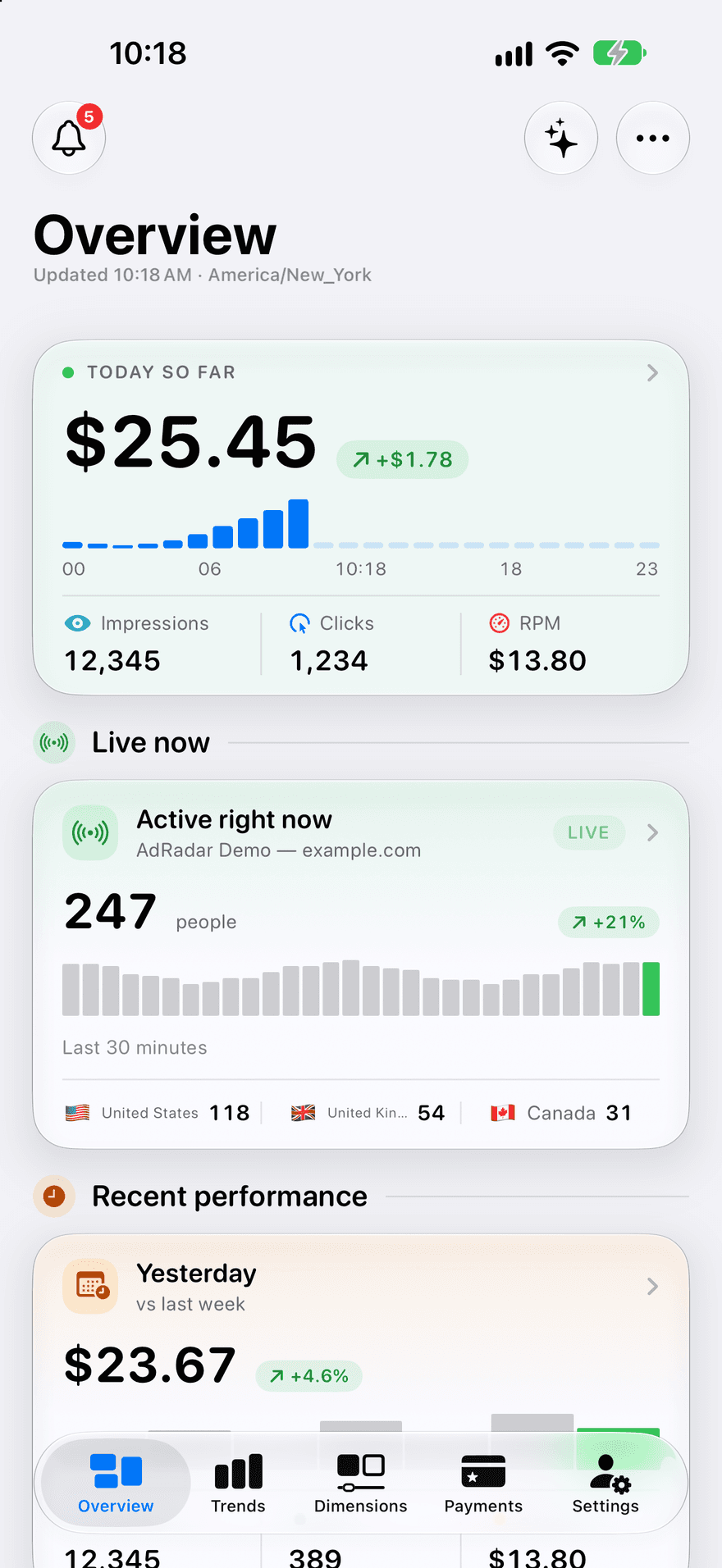
Your earnings, live
Today's revenue by the hour, plus who's on your site right now.
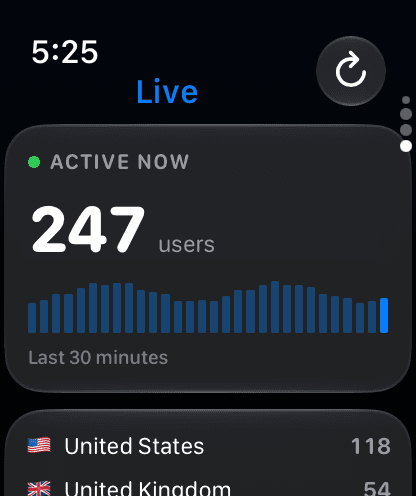
Live visitors come with Pro and need Google Analytics.
Apple Watch
A full Apple Watch app, not just a glance. Today, your periods and your next payout are free; Trend, Top and Live come with Pro. Requires watchOS 26.
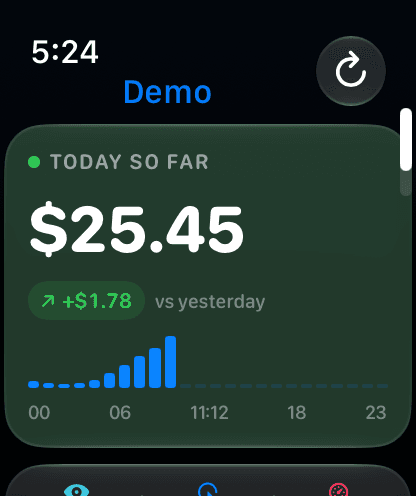
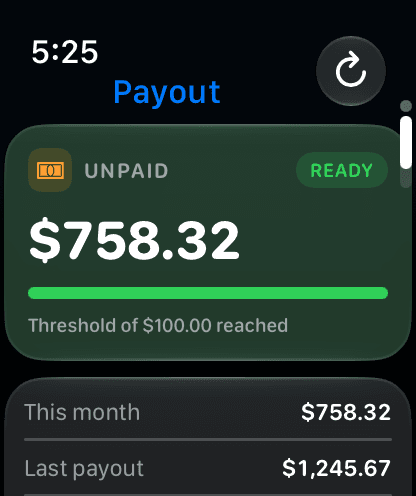
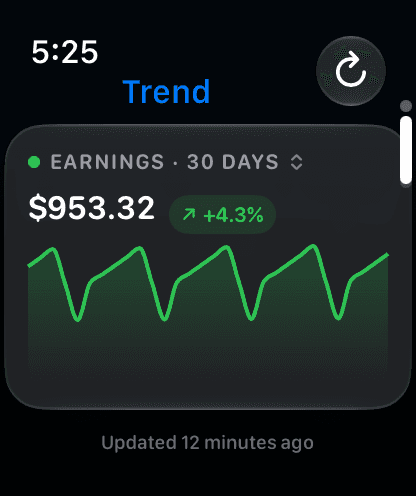
Your numbers on the Home Screen, the Lock Screen, in Control Center and in Siri.
Today's earnings, today vs yesterday and a Lock Screen widget, plus a Control Center control. Pro adds hour-by-hour, top performers, payout tracker and 30-day trend widgets.
Turn on AdMob apps in Settings to see each of your apps' earnings as its own breakdown.
Get a notification when your earnings for today, the last 7 days or this month pass an amount you set.
Ask Siri for today's earnings or your payment status, or use them in Shortcuts. Find your numbers in Spotlight too.
Share any report with your accountant or your spreadsheet.
Just looking? Explore every screen with demo data, no account needed.
Pricing
Pro sells depth, not access. The numbers you need every day stay free.
$0/ forever
Everything you check every day.
Download free$29.99/ year
$2.49/mo, billed yearly
Everything in Free, plus:
Every breakdown
Page URL, placement, ad size, AdMob apps and more, then drill into any row.
Ask AdRadar
Ask about your earnings in plain language, answered on device.
Your full history
Three years back, long trend windows and any custom range.
Pro widgets
Hourly earnings, top countries, payout progress and 30-day trends.
Custom alerts
Get a notification when the numbers you care about pass an amount you set.
Live visitors
Who is on your site right now, from Google Analytics.
Export and Siri
CSV and PDF reports, and any breakdown through Siri.
US prices; your App Store shows the price in your currency. Subscribe inside the app. Payment is charged to your Apple Account, and the subscription renews automatically unless cancelled at least 24 hours before the end of the period. Manage or cancel any time in Settings.
The most common questions about AdRadar.
Yes. The free app covers what you check every day: today, yesterday, this month and more, your payments and payout threshold, the account inbox, domain, country and platform breakdowns, three widgets and the Apple Watch app. AdRadar Pro is an optional subscription, $6.99 a month or $29.99 a year in the US App Store, that adds every other breakdown, your full history, Ask AdRadar, custom alerts, live visitors, export and the Pro widgets.
No. AdRadar doesn't show any ads, on the free plan or with Pro.
Your earnings live in your Google AdSense account, so AdRadar signs in with Google and reads them through Google's official APIs. It only asks for read-only access, so it can never change your ads, payments or settings. Google Analytics access is asked for separately, and only if you turn on live visitors.
On your device. AdRadar fetches your data straight from Google to your iPhone, iPad or Apple Watch, and keeps it there. There's no AdRadar server that stores your earnings, and your Google sign-in is kept in the iOS Keychain. The privacy policy lists the few services the app does use, such as anonymous usage analytics and the App Store subscription check.
AdRadar shows one Google account, and its AdSense account, at a time. To check a different one, sign out in Settings and sign in with the other Google account.
Yes. With Pro, turn on AdMob apps in Settings and each of your apps' earnings appears as its own breakdown on the Dimensions tab. The headline figures on Overview, Trends and Payments come from AdSense.
As up to date as Google's own reports. AdRadar refreshes when you open it, in the background through the day, and whenever you pull to refresh, and your widgets update every 10 to 15 minutes. Today's earnings are Google's estimates, which Google finalises after the month ends.
Your AdSense account's own. AdRadar shows earnings in the currency Google reports them in, with days that start and end in your account's time zone, so every figure matches what you see in AdSense.
Yes, if you allow them. The free app lets you know when you reach your payout threshold and reminds you before an AdSense policy deadline. With Pro you can also set custom alerts, for example when today's earnings pass an amount you choose.
iPhone and iPad with iOS 18 or later, and Apple Watch with watchOS 26 or later. Ask AdRadar needs iOS 26 and a device that supports Apple Intelligence. There's also an Android app on Google Play. It's an earlier version of AdRadar, so it doesn't have the features shown on this site yet.
Yes. On the sign-in screen, tap "Just looking? Try the demo" to explore every screen, Pro features included, with sample data and no account.
In Settings, delete your data to clear everything AdRadar keeps on the device and sign out. You can also withdraw AdRadar's access to your Google account at any time from your Google Account's security settings. The Delete Account page has the full steps.

Free on the App Store for iPhone, iPad and Apple Watch.


The Android app is an earlier version, without some of the features shown here.


